
Boost makes sure extra hot water is ready when you'll need more than usual, like when guests stay over or you're using a lot more hot water than usual. You can start it right away or schedule it for later, from the Cala app or from your Cala's screen.
Start Boost now from the app
-
In the Cala app, on the Home screen, tap BOOST HEAT under the tank. If your home has more than one Cala, swipe to the heater you want first: Boost is set for each heater on its own.
-
The BOOST MODE panel opens. START TIME is already set to Now.
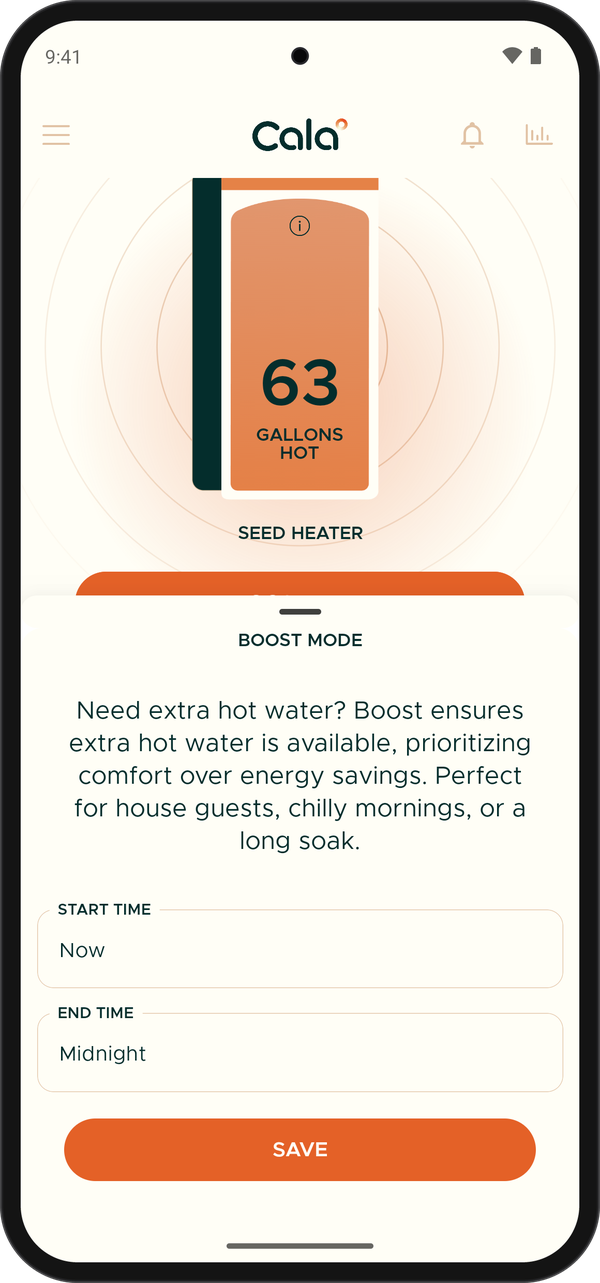
BOOST MODE with Start Time Now and End Time Midnight. -
Tap END TIME and choose when Boost should stop: a number of hours (use the arrows to change it, then tap the button that shows it), MIDNIGHT, or CUSTOM to pick a date and time.
-
Tap SAVE. The button under the tank changes to BOOSTING with the time left, for example BOOSTING (3h12m).
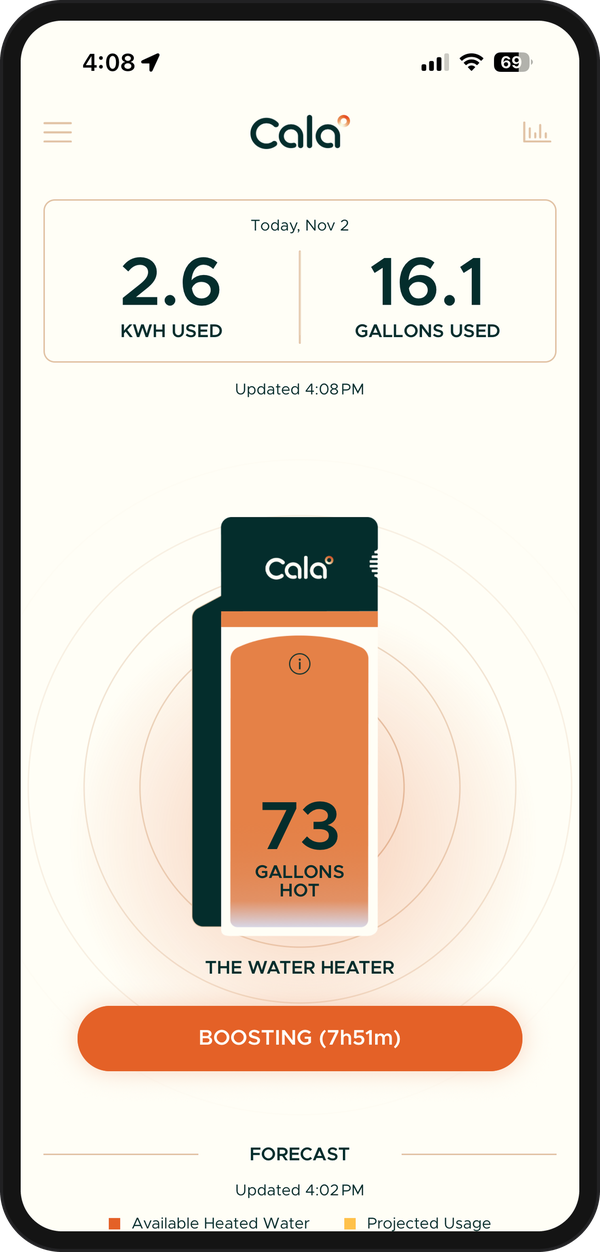
While Boost is on, the button shows how long it has left.
Schedule Boost for later
-
In the Cala app, on the Home screen, tap BOOST HEAT.
-
Tap START TIME. The panel asks WHEN DO YOU WANT TO START?
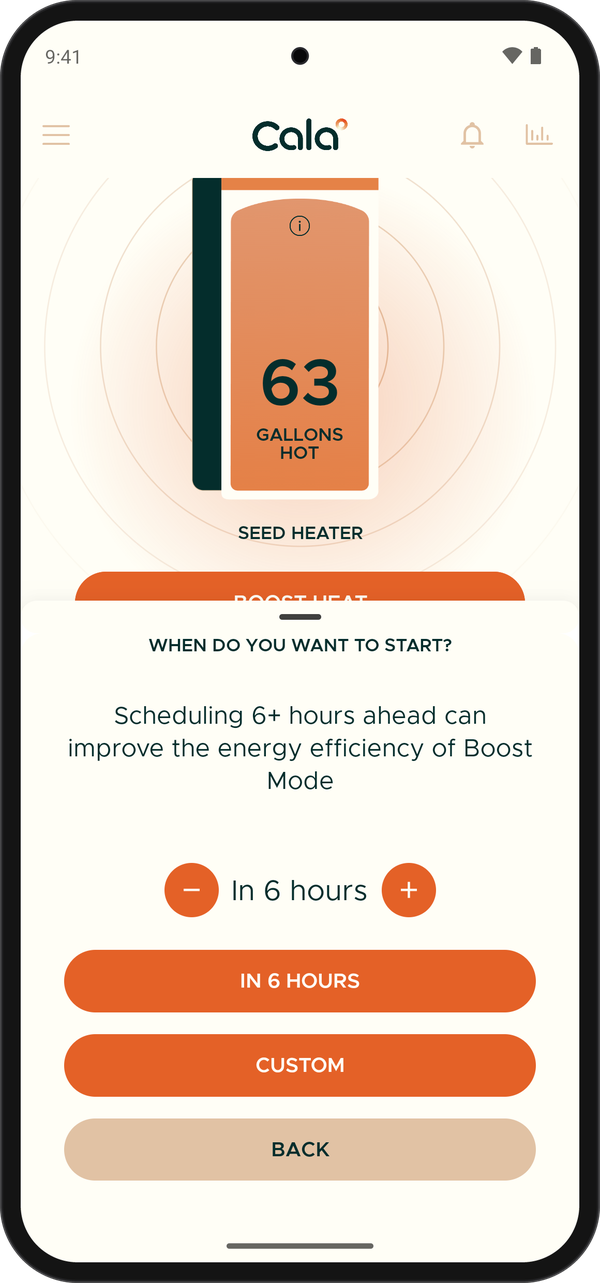
Pick when you want the boost to start. -
Use the arrows to choose how many hours from now to start, then tap the button that shows it (for example IN 6 HOURS). Or tap CUSTOM to pick a date and time.
-
Tap END TIME and choose when Boost should stop.
-
Tap SAVE. The button under the tank shows NEXT BOOST and the date and time it will start.
Check how Boost is going
While Boost is on, the button under the tank shows how far along it is:
- Shower-ready in a time, such as Shower-ready in ~20 min: there will soon be enough hot water for a shower.
- Shower-ready · full in a time: you can shower now, and the tank is still filling up.
- Tank full: the tank is fully heated.
To see exactly how long is left, tap the button. The BOOST MODE ACTIVE panel shows TIME REMAINING.
Cancel Boost in the app
-
In the Cala app, on the Home screen, tap the BOOSTING or NEXT BOOST button.
-
Tap CANCEL BOOST. The button goes back to BOOST HEAT.
Boost from your Cala's screen
You can also start and stop Boost with the buttons on your Cala.
-
On your Cala's screen, from the Home screen, press Up or Down until BOOST HEAT is highlighted, then press Select.
BOOST HEAT on the Home screen. -
The BOOST screen asks How long do you want to increase capacity for? Press Down until 6 HOURS, 12 HOURS or 24 HOURS is highlighted, then press Select.
Choose 6, 12 or 24 hours. -
Boost starts right away and the screen goes back to the Home screen. The button now reads CANCEL BOOST, and a line such as Shower-ready in ~20 min shows how it's going.
To stop Boost from the heater, highlight CANCEL BOOST on the Home screen and press Select. Boost stops right away. A Boost started on the heater shows in the app too, and you can cancel it from either place.